
Home / Blog / Website page analytics
Website page analytics: what it is and why it matters
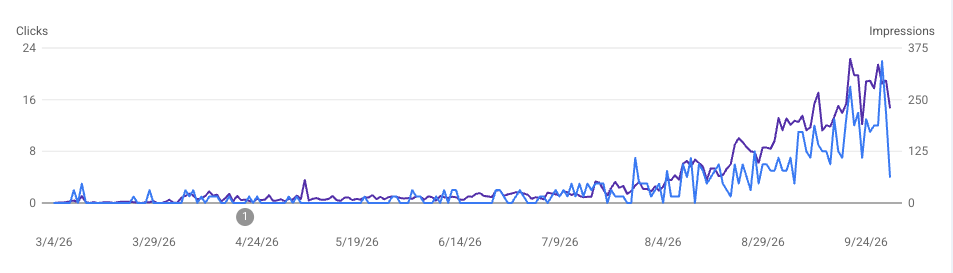
You paid for the site. Website page analytics tell you whether anyone uses it.
If you run a shop, trade, or service business in Richmond, Henrico, Sandston, or New Kent, you already know when the phone rings. Page analytics answer the quieter questions: who landed on the site, which page they read, and whether they tried to call or fill out a form before they picked up the phone.
That is not about vanity metrics for a dashboard screenshot. It is how you decide what to fix on a rebuild and what to keep.
What page analytics are, in plain terms
If you are wondering what page analytics are, think of them as a running log of visits to your site, not a grade on your marketing. Each time someone loads a page, the tool records which URL they saw, roughly where they came from, and what device they used. Over a week or a month, patterns show up: which pages get read, which ones bounce, and whether traffic arrives from Google, a Maps link, or a referral.
Most small businesses use Google Analytics 4 (GA4). It is free, it lives in a Google account you control, and it pairs well with Google Search Console, which shows search impressions and clicks. Search Console is about Google results. GA4 is about what people do after they arrive.
You do not need to live inside the interface. You need a clean install, a few meaningful events, and reports you can read in ten minutes. In plain terms, that is what page analytics are for a local owner: proof the site is working, not guesswork.
What to track (and what to ignore)
Start with four buckets. Skip the rest until these are boring and reliable.
- Visits and users. Are real people showing up, or is the line flat after launch? A new site should not stay at zero forever if Maps and search are pointed at it.
- Traffic sources. Organic search, direct, referral, and social each tell a different story. If everything is direct, you may be missing search basics. If Maps sends taps but the site shows nothing, the listing and the URL may not match. We covered that leak in Do I need a website if I have a Google Business Profile?
- Key pages. Home, services, contact, and any page you promote on a truck or a sign. If everyone hits the home page and leaves, the first screen is not doing its job.
- Forms and leads. Form submits, tap-to-call clicks, and email clicks. In plain language, that is conversion tracking: did the visit turn into an attempt to reach you through a form or a call?
What to ignore for now: time-on-site trophies, raw pageview counts with no context, and twelve custom dimensions nobody will read. You are not building a data warehouse. You are trying to see who showed up well enough to make one or two smart changes per quarter.
Forms deserve their own checklist. Required fields, clear success messages, and spam handling matter as much as the tag on the page. See Contact forms that work.
Why website analytics matter on a rebuild or new site
A redesign without measurement is opinion versus opinion. Analytics give you a before picture, even if the old site was embarrassing. After launch, you can see whether the new contact path actually gets taps, whether the services page gets read, and whether a blog post or landing page pulls search traffic.
That matters when you are choosing scope. Maybe you only need a tight brochure site with a strong phone path. Maybe you need extra pages for towns you serve. Maybe search is already sending people but the old site wasted them. A short read of traffic and sources keeps the project honest.
For local work, you are not optimizing for national volume. You are watching whether the right neighborhoods and the right search phrases turn into calls. Richmond and Henrico shops often split traffic between Maps, direct repeat customers, and a handful of search terms. Analytics show which leg is wobbly.
Most projects go from approval to launch in about one to two weeks, depending on how quickly content and feedback come back. Building analytics into launch beats bolting it on six months later when nobody remembers what changed.
What PFQWEB sets up for you
We treat analytics like hosting and SSL: part of a site you can operate, not a mystery login on someone else's account.
On business builds where analytics is in scope, we install GA4 on your property, wire key events for the actions you care about (calls, emails, contact opens, and form leads), and set up source reporting so you can see whether traffic came from search, direct visits, or referrals. The account belongs to you. We document access the same way we document domain and hosting on the features page.
On the pricing page, analytics is optional on Business websites, based on your goals. Premium SEO includes analytics, along with monthly reports and quarterly adjustments for ongoing listing and content work, usually with a 6-month commitment. We will tell you if you even need that layer. Plenty of shops only need a clean site, Search Console, and a simple GA4 view.
GA4 for a small shop does not have to mean a jargon dump. We keep the default reports readable and tie events to real buttons on the page, not abstract funnel names. If you want a working preview before you commit, ask about the free website demo. Common timeline and package questions are on the FAQ.
If you want a straight answer on your site
Send your URL. Tell us whether you are rebuilding, launching fresh, or trying to figure out if the current site earns its keep. We will look at the live pages and, when access allows, whether analytics and Search Console are wired correctly. No pitch required.
We work from Sandston in eastern Henrico, near the New Kent line. Call 804-938-5201 or email info@pfqweb.com.